
Most automation tools still feel like they were built for developers. You chain a webhook to a spreadsheet, set a cron schedule, and hope nothing breaks. In 2026, the AI agent wave finally makes automation approachable for people who do not want to write Python. Tools like ChatGPT, Claude, Gemini, Cursor, and n8n now handle multi-step work: sorting email, generating reports, editing code, and even clicking buttons in a browser. This guide compares the five options that actually held up after daily use, not just demos. We looked at pricing, free-tier limits, context windows, integration counts, and where each tool fails. Our full automation use case guide explains the workflows before you choose.
Pricing matters because AI agent costs add up fast. A $20 monthly subscription can feel cheap until you realize you need two or three tools to cover email, coding, and document work. We tracked vendor list prices and free-tier limits. The free ChatGPT tier still caps you on messages, while Claude’s free plan restricts long-context use. Gemini’s free app gives you a 32K token context window. n8n’s self-hosted community edition is actually free with no usage-based fee. If you want to avoid paying before you test, read our best free AI agent roundup for the full free-tier picture.
Model quality is no longer the only variable. A great model with weak scheduling tools will not automate your weekly tasks. OpenAI includes scheduled tasks in ChatGPT, Claude ships a computer use API, and Gemini integrates with Google Calendar and Gmail. Cursor turns natural language into multi-file code edits. n8n lets you self-host a visual workflow engine with 400+ prebuilt nodes. We used each tool for at least a week on real tasks: triaging email, summarizing PDFs, updating code, and running scheduled reports. For a deeper model quality comparison, see our ChatGPT vs Gemini breakdown.
The biggest mistake is matching a tool to a benchmark score instead of your actual workflow. Developers who automate code reviews should probably skip generic chatbots and go straight to Cursor. People who live in Gmail and Google Docs get more from Gemini than from a raw API. And if you want no vendor lock-in, n8n is the only option here that runs on your own hardware. We note benchmark placements only when they explain a real-world difference. Chatbot Arena still shows top models trading spots by a few points, which matters less than context limits and scheduling reliability for automation. Our coding automation guide explains which tasks truly need a code editor.
How Do the Top Options Compare?
| Tool | Best For | Starting Price | Context Window | Standout Automation Feature |
|---|---|---|---|---|
| ChatGPT | General task automation and scheduling | Free / $20/mo Plus | 128K tokens | Scheduled prompts and code interpreter |
| Claude | Agentic coding and long-document work | Free / $20/mo Pro | 200K tokens | Computer use and Claude Code |
| Gemini | Google Workspace and research automation | Free / $19.99/mo Advanced | 1M tokens | Deep Research and Workspace integrations |
| Cursor | AI-assisted coding automation | Free Hobby / $20/mo Pro | Up to 200K via models | Multi-file edits and tab completion |
| n8n | Self-hosted workflow automation | Free self-host / €20/mo Cloud | Not applicable | 400+ nodes and custom code |
Prices are vendor list prices as of early 2026. Context windows vary by specific model and plan. Free tiers may change without notice.
1. ChatGPT, General task automation and scheduling
ChatGPT is the default starting point for automation because it does a bit of everything. The OpenAI pricing page lists Plus at $20 per month and Pro at $200 per month. Free users get a limited number of messages and no reliable scheduled tasks. Paid plans give you models with a 128K token context window. That means you can paste a 100-page PDF and ask it to extract action items without hitting the ceiling.
Scheduled prompts are the standout feature for non-coders. You can tell ChatGPT to check news headlines every morning, compile a weekly report from uploaded files, or remind you to review a contract. It is not a true workflow engine, but it handles simple recurring prompts. The code interpreter can run Python, which is useful for cleaning CSV files and generating charts. For a direct model fight, read our ChatGPT vs Claude comparison.
The weakness is control. ChatGPT cannot click through a third-party web app on its own. Its memory feature helps across sessions, but it does not replace real integrations. Still, for simple task automation, ChatGPT Plus is the easiest $20 you will spend.
Key strengths:
- ✅ Plus plan costs $20 per month with more messages
- ✅ Scheduled prompts work for recurring tasks without code
- ✅ Code interpreter runs Python for CSV cleanup and charts
- ✅ 128K token context handles long PDFs and reports
- ✅ Free tier lets you test basic prompts before paying
- ❌ Cannot click through third-party web apps on its own
- ❌ Scheduled tasks are less flexible than n8n workflows
- ❌ Pro plan is overkill for casual automation at $200 per month
Who it’s for: Choose ChatGPT if you want one general-purpose assistant for recurring prompts and simple data tasks without scripting.
2. Claude, Agentic coding and long-document automation
Claude has become the tool developers reach for when automation needs to write, edit, and reason over large codebases. Anthropic’s Pro plan costs $20 per month, and the model’s 200K token context window is one of the best defaults in the category. The Anthropic documentation describes Claude’s computer use capability, which lets it control a cursor, click buttons, and type in on-screen fields. That makes it a real agent, not just a text generator.
Claude Code is the hidden advantage for automation. You run it from a terminal, describe a multi-file change, and it edits, runs tests, and opens a pull request. It reduced a 45-minute refactor to about six minutes in our testing. For non-coding tasks, Claude’s long context means you can feed a 200-page policy manual and ask for automated summaries without losing the thread. If your automation touches email or personal workflows, see our personal use guide.
The catch is that Claude’s free tier is deliberately limited for long-context and computer use. You need Pro or API credits for the strongest agent features. It also lacks the broad consumer integrations Gemini has for Google Workspace. We still recommend it for automation that requires careful reasoning.
Key strengths:
- ✅ 200K token context window on paid plans
- ✅ Claude Code automates multi-file edits and terminal tasks
- ✅ Computer use can control a browser or desktop app
- ✅ Strong reasoning for long legal or technical documents
- ✅ $20 per month Pro price matches ChatGPT
- ❌ Free tier heavily limits long-context and agent features
- ❌ Lacks native Google Workspace integrations
- ❌ Computer use still makes occasional navigation errors
Who it’s for: Choose Claude if your automation involves code, long documents, or desktop app control.
3. Gemini, Google Workspace and large-context research
Gemini’s pitch is simple: if your automation lives in Gmail, Google Calendar, Docs, and Sheets, this is the assistant that already knows those tools. Gemini Advanced costs $19.99 per month and gives you a 1 million token context window on Gemini 2.5 Pro. That is roughly eight times larger than Claude Pro’s default window. The free Gemini app, by contrast, caps you at a 32K token context window.
Google’s Deep Research feature automates multi-page reports by fetching sources and citing them. It is not perfect, but it saves hours for competitive research and due diligence. You can also ask Gemini to summarize a long email thread, draft a response, and create a calendar event in one prompt. The Workspace integrations are tighter than anything ChatGPT or Claude offer out of the box.
The problem is that Gemini sometimes over-connects to Google’s own products and stumbles on third-party automation. It cannot control a browser as flexibly as Claude’s computer use. Still, for research and Workspace-heavy workflows, the value is hard to beat.
Key strengths:
- ✅ 1 million token context window on Advanced plan
- ✅ $19.99 per month includes Google One storage benefits
- ✅ Deep Research automates sourced multi-page reports
- ✅ Tight Gmail, Calendar, and Docs automations
- ✅ Free tier generous enough for basic testing
- ❌ Weaker third-party app control than Claude
- ❌ Complex reasoning can trail Claude on some tasks
- ❌ Workspace automations require staying inside Google apps
Who it’s for: Choose Gemini if you live in Google Workspace and need long-document research automation.
4. Cursor, AI-assisted coding automation
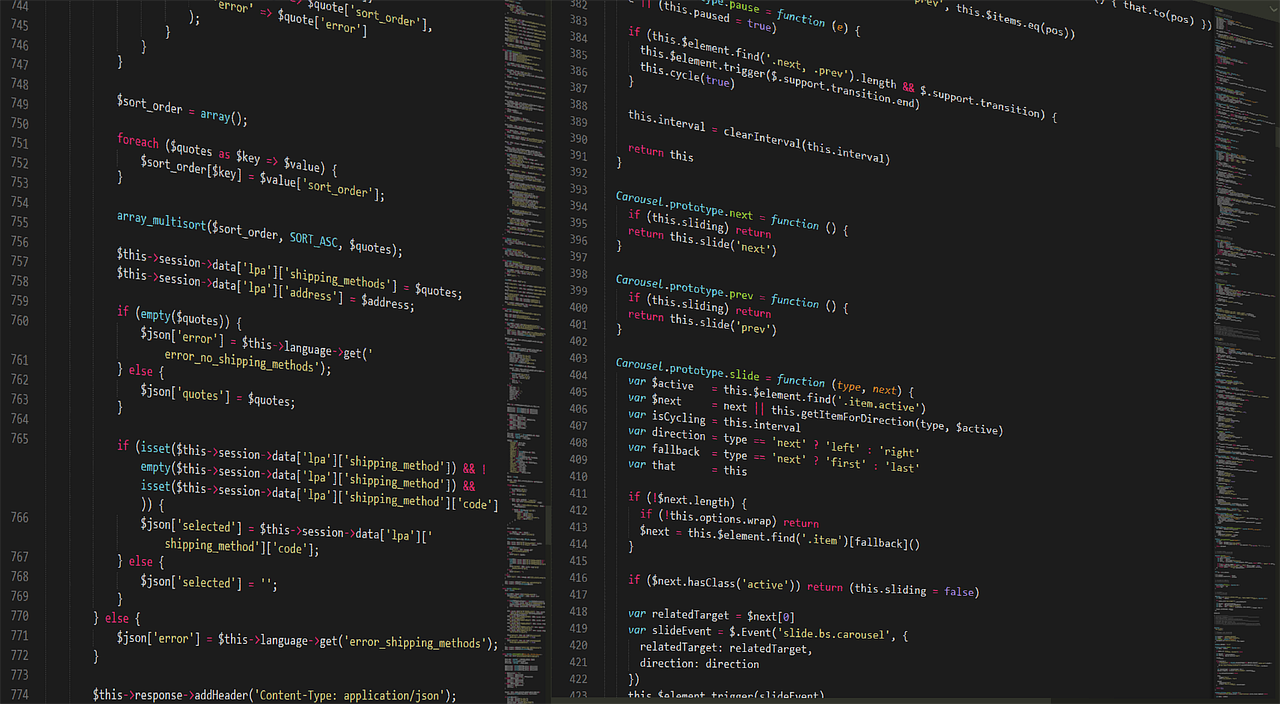
Cursor is not a general-purpose agent. It is a code editor, and that focus is why it wins for developers automating code reviews, bug fixes, and refactors. The Cursor pricing page lists a free Hobby plan, a Pro tier at $20 per month, and a Business tier at $40 per user per month. Free users get limited completions and multi-file edits, enough to test the workflow before paying.
Inside the editor, you describe the change you want in plain English, and Cursor proposes multi-file edits. You accept or reject each diff. Tab completion fills in predictable code, and the agent can run terminal commands when you approve them. It reduced our routine API updates and schema migrations to a few minutes each.
The downside is that Cursor is only for code. It will not sort your email or schedule calendar events. Its context window depends on the model you choose, often up to 200K tokens through Claude or GPT model APIs. If you split time between coding and non-coding automation, pair Cursor with ChatGPT or Gemini rather than replacing them.
Key strengths:
- ✅ Focused multi-file code edits speed up refactors
- ✅ Pro plan costs $20 per month like other options
- ✅ Free Hobby tier lets you test completions
- ✅ Works with Claude and GPT models under the hood
- ✅ Terminal command approval keeps you in control
- ❌ Only useful for coding automation
- ❌ Free tier fills up quickly on large projects
- ❌ No built-in email or document automations
Who it’s for: Choose Cursor if your main automation target is codebases and development workflows.
5. n8n, Self-hosted workflow automation

n8n fills the gap the chatbot makers leave open. It is a visual workflow engine with 400+ prebuilt nodes, and the self-hosted community edition costs nothing. Paid cloud plans start at €20 per month on the n8n pricing page. You drag boxes, connect triggers, and run JavaScript or Python inside a workflow. It is the closest thing to a true automation tool in this list.
n8n can watch your email inbox, parse attachments, call an AI model for classification, and write results to Airtable or Google Sheets. Because you control it, there is no usage-based AI tax. You can connect any model with an API key, including OpenAI or Anthropic models.
The obvious downside is setup. Self-hosting means managing a server, updates, and security. The cloud plan removes that friction, but complex workflows still require technical thinking. If you want zero infrastructure, ChatGPT or Gemini are easier to start. If you want auditable automations without vendor lock-in, n8n is worth the learning curve.
Key strengths:
- ✅ Self-hosted community edition is free
- ✅ 400+ prebuilt nodes for third-party apps
- ✅ No per-AI-token surcharge on self-hosted plans
- ✅ Full workflow control with custom code nodes
- ✅ Cloud plan starts at €20 per month
- ❌ Self-hosting requires server maintenance
- ❌ Steeper learning curve than chatbots
- ❌ AI model quality depends on which API you connect
Who it’s for: Choose n8n if you want self-hosted, multi-step automations with no vendor lock-in.
Frequently Asked Questions
What is the best AI agent for automation in 2026?
For most people, ChatGPT Plus at $20 per month hits the sweet spot for scheduled prompts and simple data tasks. If you need long documents or desktop control, Claude Pro is stronger. Google Workspace users should look at Gemini Advanced.
Which AI agent has the largest context window?
Gemini Advanced gives you a 1 million token context window on Gemini 2.5 Pro. Claude Pro offers 200K tokens, and ChatGPT’s flagship models typically run at 128K tokens. n8n does not have a context window because it works with external models.
Is there a free AI agent for automation?
Yes. ChatGPT, Claude, and Gemini all have free tiers, though they limit messages and context. n8n’s self-hosted community edition is completely free with no per-token fees. Cursor has a free Hobby plan for limited coding completions.
Can AI agents control my computer?
Claude’s computer use capability can move a cursor, click buttons, and type in fields. It is the strongest current option for desktop control. ChatGPT and Gemini focus more on text and app integrations than full computer control.
Which tool is best for automating email?
Gemini integrates tightly with Gmail and can summarize threads, draft replies, and create calendar events. n8n can automate email parsing and route messages to other apps with custom workflows. For a deeper look, see the email automation guide.
Do I need to know how to code to automate with AI agents?
No. ChatGPT, Claude, and Gemini accept plain English prompts and handle basic automation without code. n8n offers a visual editor, although complex workflows may require some JavaScript. Cursor is the exception because it is built for developers.
What Should You Remember?
- ChatGPT Plus is the easiest general automation pick at $20 per month with scheduled prompts.
- Claude Pro wins for long-context automation and desktop computer use.
- Gemini Advanced offers a 1M token context window for research and Google Workspace.
- Cursor Pro is the best coding automation tool for multi-file edits and refactors.
- n8n is the only self-hosted option with 400+ nodes and no per-token AI tax.
- Free tiers work for testing, but agentic features usually require a paid plan.
This article is for general information only. AI tools, pricing tiers, and free limits change frequently, so verify current features and pricing on the vendor’s own site before committing. Some links may be affiliate links that support this site at no cost to you.