Procurement teams spend most of their week inside documents. A single purchase can require a requisition, three vendor quotes, a contract review, a purchase order, an invoice match, and a payment follow-up. Most of that work is repetitive, rule driven, and easy to describe in a checklist. That is exactly the kind of work AI agents were built to absorb. Instead of answering one question at a time, a procurement agent runs a loop. It reads a request, gathers missing details, pulls vendor history, drafts the paperwork, and asks a person only when something looks wrong.
The tooling has moved fast. Model providers now ship agents that can call external tools, hold long documents in context, and follow multi-step instructions without losing the thread. Automation platforms have added AI steps that plug into ERP systems, shared drives, and mailboxes. Procurement suites have followed with their own embedded assistants. The result is a crowded market where a mid-size company can assemble something useful in weeks, not years, and a large enterprise can buy a packaged option instead.
This guide explains what these agents actually do, where they break, and how to run a first pilot without creating an audit problem. It covers the workflow end to end, the tasks that work well today, the cost structure, and the failure modes that show up in real deployments. If you are choosing your first agent tool, the sections below give you a practical sequence rather than a vendor pitch.
| Option | Best For | Setup Effort | Typical Cost | Main Limitation |
|---|---|---|---|---|
| General assistant (ChatGPT, Claude) | Drafting, contract review, research | Hours | $20 to $30 per seat per month | No system access by default |
| Automation platform with AI steps (n8n, Zapier) | Connecting ERP, email, and shared drives | Days to weeks | $50 to $500 per month | Needs an owner to maintain flows |
| Procurement suite add-on | Large enterprises already on a suite | Weeks to months | Enterprise license, often six figures a year | Slow to customize |
| Custom agent on model APIs | Unusual workflows and strict data rules | Months | Per-token fees plus engineering time | Requires engineering staff |
What Are AI Agents for Procurement and How Do They Differ From Chatbots?
An AI agent is a system that plans, uses tools, and takes multi-step action toward a goal. A chatbot waits for your next message. An agent keeps working after you close the tab. In procurement, that difference matters because almost every workflow spans several systems at once. The agent might read a request in a chat channel, check an ERP record, open a contract in a shared drive, and draft a message to a supplier. Nobody has to paste that content in by hand.
Modern agents lean on large language models for reading and reasoning. Anthropic and other labs publish models with long context windows, which lets an agent review a 60-page master services agreement in a single pass. Tool calling lets the same model push data into an ERP or trigger a downstream workflow. Platforms like n8n handle the plumbing between those systems, so the model focuses on judgment rather than connections. If you are still mapping out which pieces you need, our guide to AI tools for automation walks through the orchestration layer in plain terms.
The practical result looks less like a robot and more like a very fast junior analyst. It does not approve spend. It prepares the decision, flags the risks, and hands a clean package to a human buyer. That division of labor is the core design pattern in nearly every procurement deployment running in production today. Teams that forget this pattern and hand over approval authority tend to be the ones that roll their agents back within a quarter.
- A chatbot answers questions. An agent completes tasks across multiple systems.
- Agents read documents, call tools, and retry when a step fails.
- Humans keep approval authority, budget control, and supplier relationships.
- The orchestration layer, not the model alone, decides whether the agent is reliable.
How Does a Procurement Agent Handle a Purchase Request From Start to Finish?
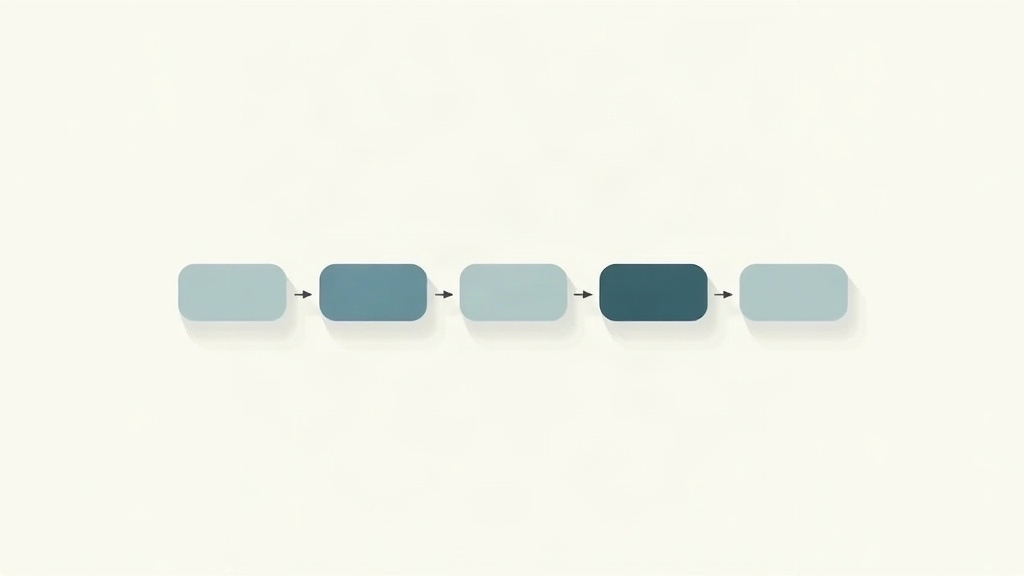
Start with intake. A requester fills in a form or sends a message. The agent parses the request, checks it against policy, and asks for anything missing. If the spend sits under a threshold and a preferred supplier already exists, the agent can route straight to a purchase order. If not, it triggers a sourcing step.
Next comes supplier work. The agent pulls past invoices and delivery records for each candidate vendor. It drafts a request for quote and sends it through the procurement mailbox. Responses arrive in inconsistent formats, which is where language models earn their keep. The agent normalizes pricing tables, unit costs, and lead times into one comparison sheet. A buyer reviews a single page instead of six attachments.
Then the contract. The agent compares the supplier’s terms against your standard playbook and highlights deviations. It flags indemnity language, auto-renewal windows, and payment terms that break policy. A human reads a one-page summary rather than a full agreement. This is the step where model quality shows most clearly, because a missed clause is expensive.
Finally, invoice and payment. The agent performs a three-way match between purchase order, receipt, and invoice. Clean matches move forward automatically. Mismatches receive a short written explanation and land with a person. Every action writes to a log, which is what auditors actually ask to see.
- Intake: parse the request, validate policy, request missing details.
- Sourcing: pull vendor history, draft the RFQ, normalize every response.
- Contract: compare terms to the playbook, summarize deviations in one page.
- Invoice: run the three-way match, explain exceptions, log every action.
Which Procurement Tasks Are AI Agents Actually Good At Today?
Document heavy work is the strongest fit. Contracts, quotes, invoices, and onboarding forms all follow patterns, and models handle patterns well. Anything that requires reading a messy PDF and producing a structured row is a candidate. Anything that requires a judgment call about a supplier relationship is not.
Email is the second sweet spot. Vendor follow-up, status chasing, and renewal reminders are high volume and low stakes. A mailbox agent can draft replies, track open threads, and escalate only when a supplier goes quiet. Our breakdown of AI tools for email covers how these drafting agents are configured and where they still need review.
The weaker areas are negotiation, sole-source justification, and anything touching supplier risk scoring. Agents can gather the inputs for those decisions. They cannot weigh political context, long-term partnerships, or a factory visit from last year. Category managers still own that ground.
A useful test before automating anything is whether you can write the rule on one page. If you can describe the inputs, the decision, and the exception path in a page of text, an agent can probably handle most cases. If the rule lives in three people’s heads, spend your budget on documentation first.
- Strong fit: contract clause extraction, RFQ normalization, invoice matching.
- Strong fit: vendor email drafting and renewal date tracking.
- Weak fit: negotiation strategy, sole-source approvals, supplier risk scoring.
- Good rule of thumb: if the process fits on one page, it is automatable.
What Do AI Agents for Procurement Cost and How Fast Do They Pay Off?
Cost comes in four layers. Model usage is the smallest and most variable. A contract review that reads 60 pages might cost a few cents in tokens. Seat licenses are the next layer, typically $20 to $30 per user each month for a general assistant. Platform fees for orchestration run from a few dollars to several hundred per month depending on workflow volume. Implementation is usually the largest line item, because someone has to connect the ERP, clean the master data, and write the prompts.
Price the whole stack before you commit. Model pricing changes often, so check current rates on the OpenAI pricing page and compare against what a mid-tier model would cost for the same task. Many teams discover that a cheaper model handles 80 percent of their traffic, and the expensive model is reserved for contract review. Our comparison of ChatGPT and Gemini shows how those tradeoffs play out in practice.
The payback math usually rests on two numbers. Gartner has projected that 33 percent of enterprise software will include agentic AI features by 2028, up from less than 1 percent in 2024, which tells you where vendor pricing is heading. More useful for a business case is invoice cost. Ardent Partners benchmarks put average invoice processing near $10 per invoice, with best-in-class teams under $3. Closing even part of that gap across thousands of invoices funds most pilots on its own.
Smaller teams should not assume this category is out of reach. A two-person procurement function can start with free or low-cost tiers and validate the workflow before paying for anything. Our roundup of the best free AI agent options is a reasonable starting point for that kind of test.
- Model tokens: cents per document for most review and extraction tasks.
- Seat licenses: roughly $20 to $30 per user per month for general assistants.
- Orchestration platforms: variable, often tied to workflow executions.
- Implementation: usually the biggest cost, driven by ERP and data cleanup work.
Where Do AI Agents Still Break Down in Procurement?
The first failure mode is invented detail. A model that cannot find a payment term in a contract may produce a plausible one instead of saying nothing. In procurement this is dangerous because the output looks like data. The fix is a strict rule: every extracted field must cite the page and paragraph it came from, and unverifiable fields return empty rather than guessed.
The second is data exposure. Supplier pricing, payment terms, and volume commitments are commercially sensitive. Sending them to a consumer tier model is a real risk. Enterprise tiers from the major labs offer no-training commitments and regional processing, but regulated buyers often want the model hosted inside their own cloud tenancy. Check the contract terms rather than the marketing page.
The third is audit trail. Auditors do not care that the agent was accurate. They care that you can reconstruct what happened. That means logging the input, the prompt version, the model version, the output, and the human decision for every transaction. Teams that skip this step end up rebuilding it later under pressure.
Finally, there is over-automation. When an agent handles every request without review, edge cases quietly stack up until someone notices a pattern of bad commitments. A small sample review, maybe 5 percent of automated decisions, catches most of this early and costs very little.
- Hallucinated fields: require source citations or return empty.
- Data exposure: confirm no-training terms and processing region in writing.
- Audit gaps: log prompt version, model version, output, and human decision.
- Over-automation: review a small sample of automated decisions every week.
How Should a Team Pilot Its First Procurement Agent?

Pick one workflow with a clear input and a measurable output. Invoice exception notes and RFQ response normalization are the two safest starts. Both produce a document you can grade. Both have a manual baseline you can measure against, which matters because you need a number to compare at the end.
Define success before you build. A reasonable target is a 40 percent reduction in handling time per transaction with no increase in error rate. Write that down, along with who owns the workflow and who reviews exceptions. Pilots without a named owner tend to stall once the initial enthusiasm fades.
Run the agent in shadow mode for two to four weeks. It processes live requests and produces outputs, but a person still does the real work. Compare the two side by side. This surfaces the messy cases your process map missed, and it gives reviewers confidence before anything goes live. If you need to wire the agent into internal systems, our guide to AI tools for coding covers the API and integration side in more detail.
Then choose your model deliberately. Long contract review rewards a long context window, while routing and classification reward speed and low cost. Many teams run two models for exactly this reason. Our ChatGPT vs Claude comparison is a useful reference when you are deciding which one anchors each workflow.
Finally, review at 30 and 90 days. Look at cycle time, exception rate, cost per transaction, and how often a human overrode the agent. If overrides are climbing, the prompt or the policy is wrong, not the model.
- Choose one workflow with a gradeable output and a manual baseline.
- Set a numeric target before building, such as 40 percent faster handling.
- Run in shadow mode for two to four weeks before going live.
- Review cycle time, override rate, and cost at 30 and 90 days.
Frequently Asked Questions
Do AI agents replace procurement staff?
Not in the near term. Agents absorb document reading, data entry, and status chasing. Buyers keep the negotiation, supplier relationships, and approval authority. Teams that deploy agents usually shift headcount toward category strategy rather than cutting it.
Can an AI agent approve a purchase order on its own?
It can, but most finance and audit teams will not allow it. The common pattern is agent prepares, human approves. Approval thresholds, spend limits, and segregation of duties still belong to named people who can be audited.
How long does a procurement agent pilot take?
A single workflow pilot usually runs four to eight weeks. Week one and two cover data access and prompt design. Weeks three to six run live requests in parallel with the manual process. The final weeks compare cycle time, error rate, and cost per transaction.
Is supplier data safe when an agent reads contracts?
That depends on where the model runs. Enterprise tiers from major model providers offer no-training guarantees and data residency options. Regulated buyers often require a private deployment or a vendor-hosted instance inside their own cloud tenancy.
Which procurement task should a team automate first?
Start with invoice exception notes or RFQ response normalization. Both have clear inputs, measurable outputs, and low compliance risk. Avoid starting with contract negotiation or sole-source approvals, where an error carries real legal weight.
Do small companies need procurement agents at all?
Sometimes yes, at a much simpler level. A ten-person company does not need a category strategy engine. It may still benefit from an agent that drafts vendor emails and tracks renewal dates so nothing auto-charges unnoticed.
What Should You Remember?
- Start narrow: pick one workflow with clean inputs, such as invoice exceptions or RFQ normalization, before expanding scope.
- Keep humans on approval: agents should prepare decisions, not sign off on spend above a set threshold.
- Budget for seats and tokens: general assistants run $20 to $30 per user, while platform deployments scale with volume.
- Measure cycle time: average invoice cost sits near $10 for average teams and under $3 for top performers, so speed is the clearest payback signal.
- Log every action: an audit trail of prompts, inputs, and outputs is what gets a pilot past compliance review.
- Expect model choice to matter: long contract review favors long-context models, while routing favors fast, cheap ones.
This article is for general information only. AI tools, pricing tiers, and free limits change frequently, so verify current features and pricing on the vendor’s own site before committing. Some links may be affiliate links that support this site at no cost to you.